Bytedesk Now Supports Importing Content from Feishu Knowledge Base

Enterprise knowledge lives in Feishu (Lark) wiki spaces, but putting it to work for AI customer service usually means a lot of manual toil: exporting, converting formats, and re-entering content. Bytedesk now ships built-in Feishu knowledge base import: bind your Feishu app in the admin console, pick the wiki spaces, and sync Feishu documents into the Bytedesk LLM knowledge base with one click. After syncing, full-text and vector indexes are built automatically so the content is immediately available for AI-powered customer service Q&A.
Problems It Solves
- Scattered knowledge: product manuals, FAQs, and internal guidelines sit in Feishu wiki, while your customer service system and AI answers cannot use them
- Duplicate maintenance: the same document has to be maintained in both Feishu and the service knowledge base, and they drift apart
- High integration cost: building your own sync tool means handling Feishu Open Platform auth, pagination, incremental dedup, and index updates
Bytedesk now covers all of this out of the box: bind once, sync anytime (scheduled sync coming later).
Features
1. Bind a Feishu App
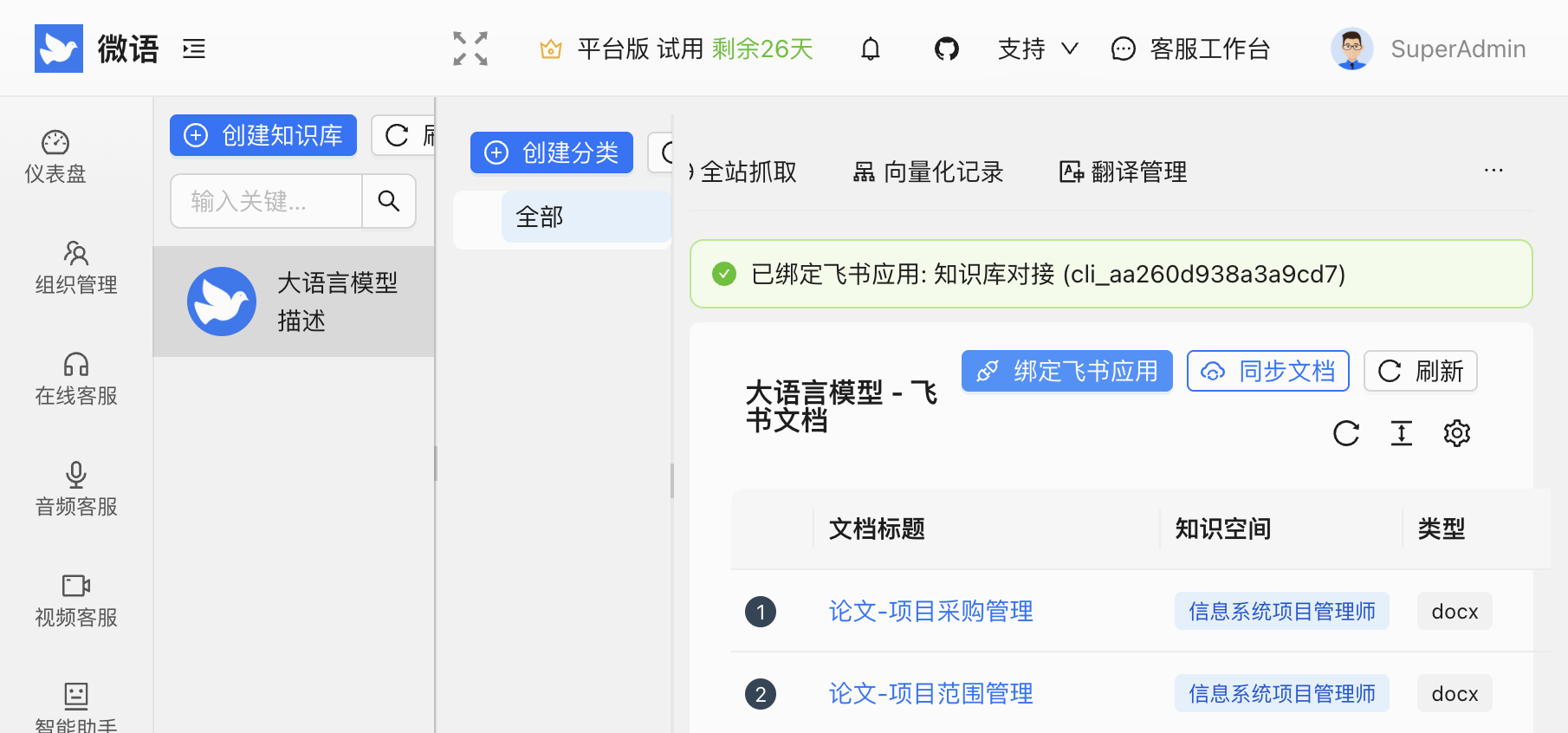
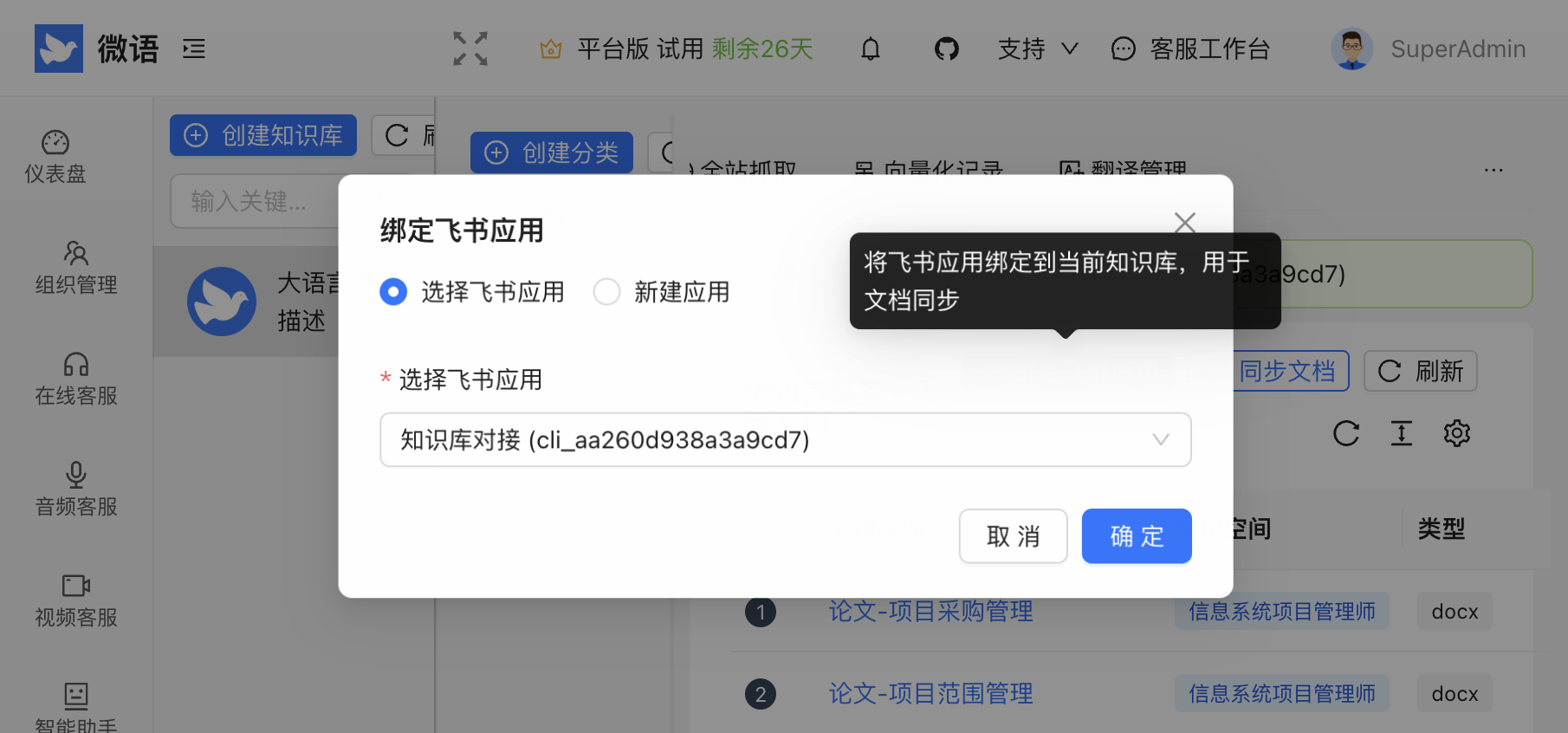
On the "Admin → Knowledge Base → LLM → Feishu Docs" page, click "Bind Feishu App":
- Select existing app: reuse a Feishu custom app already configured in the channel module and bind it to the current knowledge base
- Create new app: fill in
App IDandApp Secretdirectly (Base URL defaults tohttps://open.feishu.cn; usehttps://open.larksuite.comfor Lark)
2. Multi-space Selective Sync
Click "Sync Docs" and the dropdown supports multi-selecting wiki spaces (deduplicated automatically); selecting none syncs all spaces the app can access (with a confirmation dialog to avoid accidental bulk syncs).
3. Incremental and Idempotent Sync
- Idempotent upsert keyed by "Feishu app + resource type + document token": new documents are inserted, existing ones updated only when content changes
- Content hash comparison: unchanged documents are skipped, so repeated syncs produce no redundant writes
- Deletion detection: documents no longer present in the space are soft-deleted, and their full-text/vector indexes are cleaned up
4. Three Status Views
The sync record table tracks per-document progress:
- Sync status: NEW / PROCESSING / SUCCESS / ERROR
- Elastic status: Elasticsearch indexing result
- Vector status: vector store indexing result (used for AI semantic search)
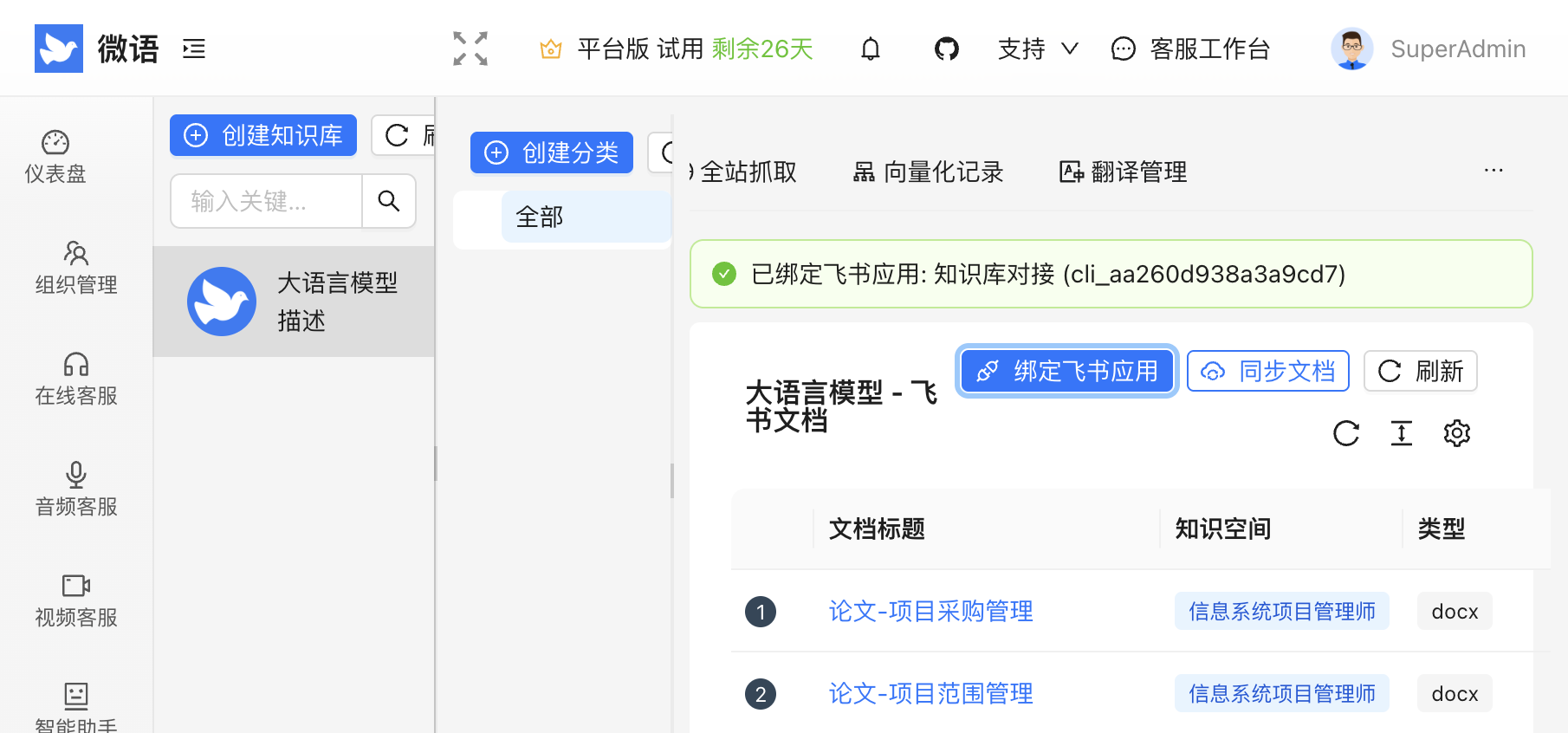
Document titles link back to the original Feishu page for easy verification.
Required Feishu Permissions
Enable the following permissions for your app on the Feishu Open Platform (search by scope identifier):
| Scope | Purpose |
|---|---|
wiki:wiki:readonly | List wiki spaces and node trees |
docx:document:readonly | Read plain-text content of new-format (docx) documents |
You also need to add the app as a member of the target wiki space (at least "can read"), otherwise the space list will be empty during sync. See the Feishu integration guide for detailed steps.
Current Limitations and Roadmap
- Only new-format documents (docx) are supported; legacy doc, sheets, bitable, mindnotes, etc. are marked as "unsupported" and skipped
- Sync is manual for now; scheduled auto-sync, Feishu Drive, and Webhook-driven incremental sync are on the roadmap
Live Demo
- Demo environment: https://www.weiyuai.cn/admin (Knowledge Base → LLM → Feishu Docs)
- GitHub: https://github.com/Bytedesk/bytedesk
Try it out and let us know your feedback — let's bring enterprise knowledge into AI customer service, the easy way.