DashScope Integration
This page explains how to connect Bytedesk to Alibaba Cloud DashScope models and use DashScope as the default model provider.
Prerequisites
- Bytedesk has been deployed
- You have created a DashScope API key in Alibaba Cloud Bailian
Configuration Steps
1. Create an API Key
- Open the DashScope console: https://bailian.console.aliyun.com/?apiKey=1#/api-key
- Sign in to your Alibaba Cloud account
- Create an API key
- Save the generated key securely
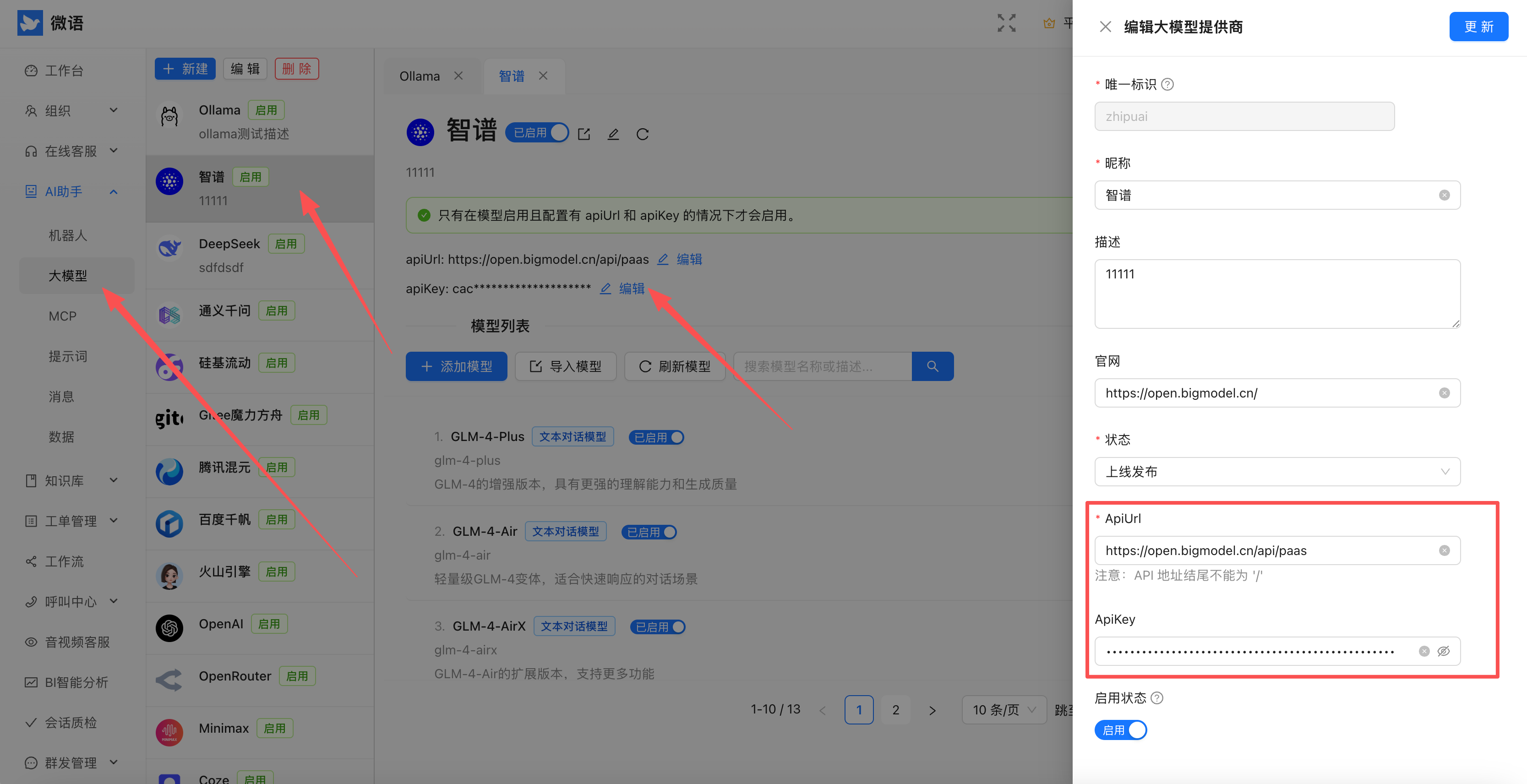
2. Configure Bytedesk Admin
- Sign in to the Bytedesk admin console
- Open the provider or API key configuration page
- Enter the DashScope API key
3. Select the Model Provider
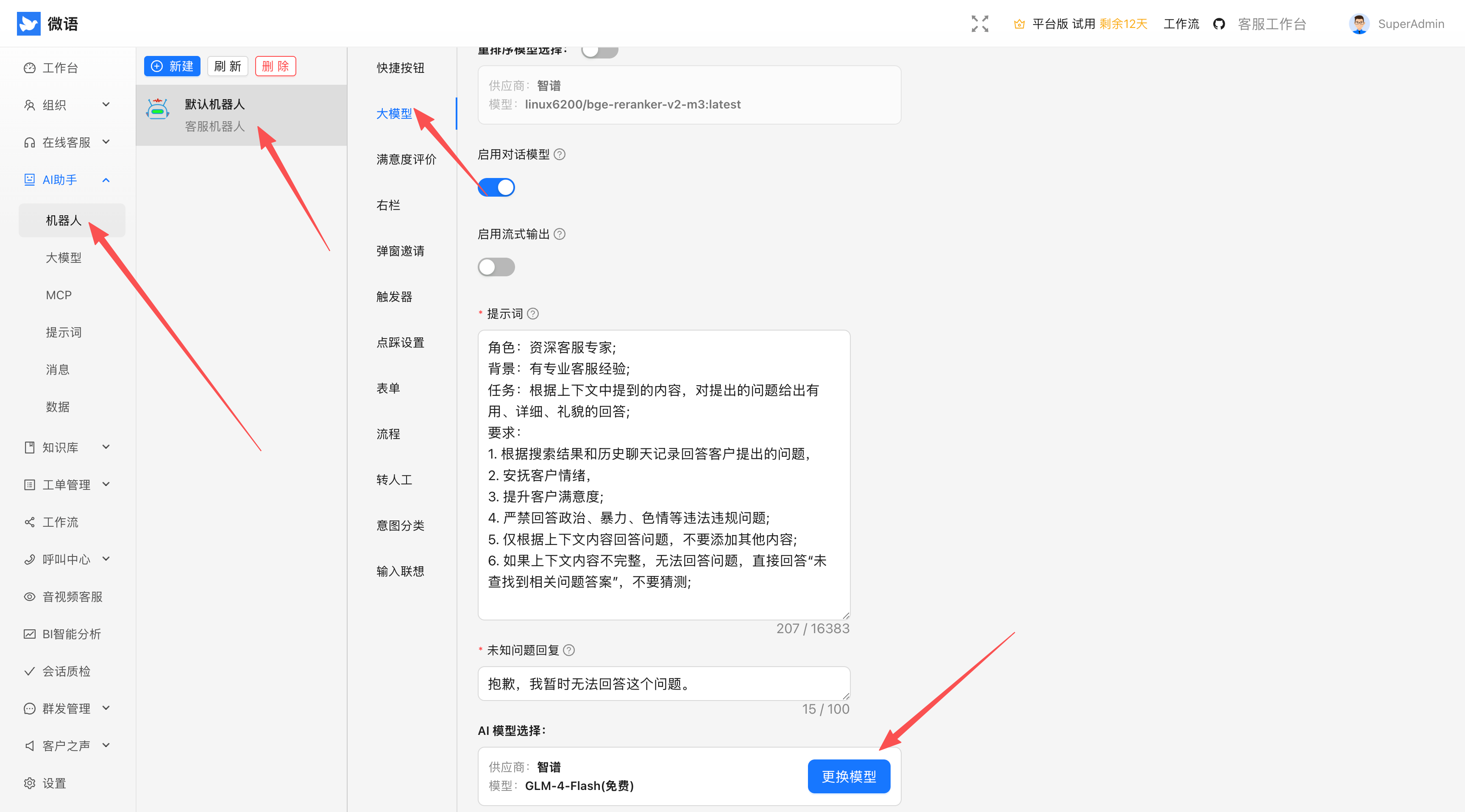
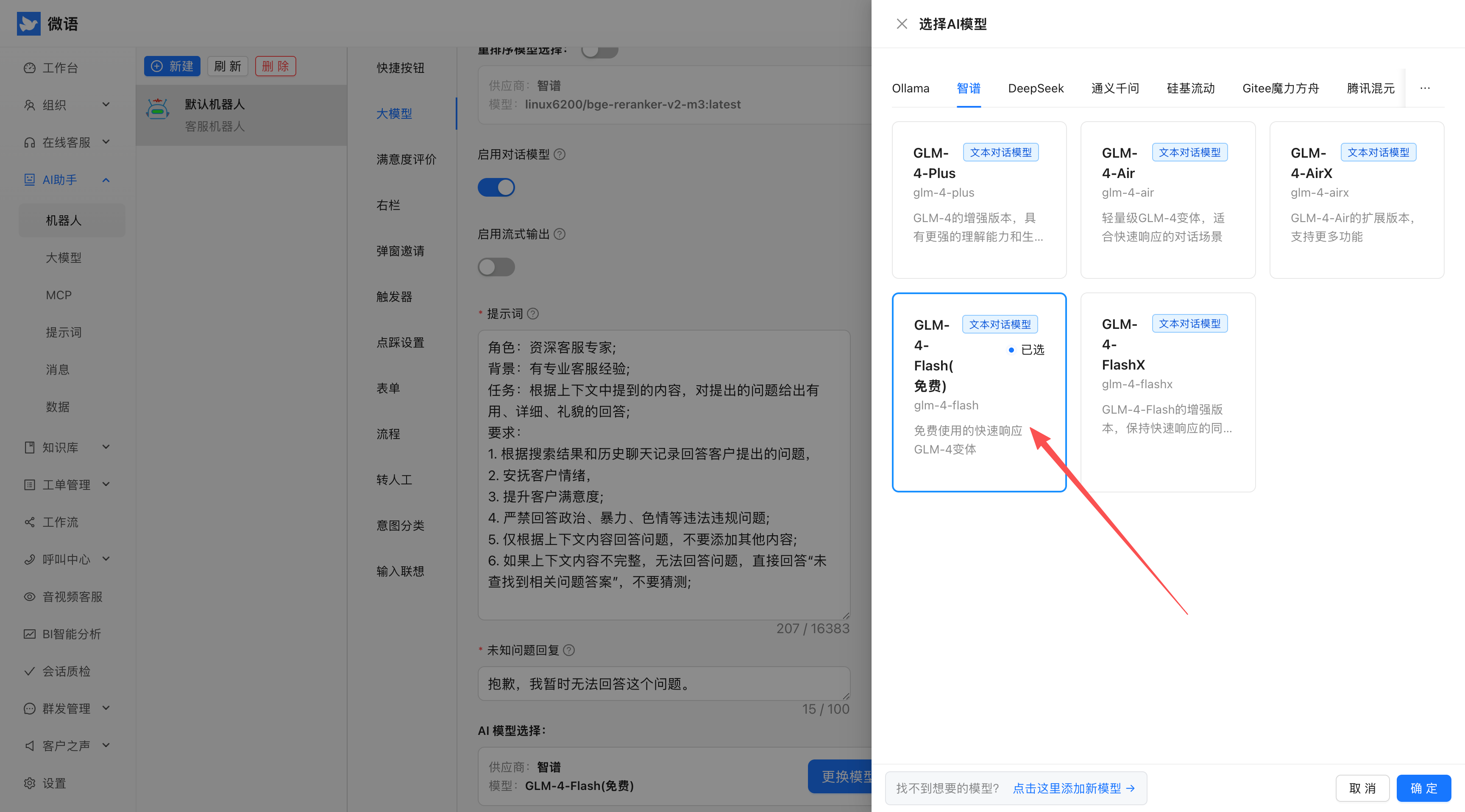
- Open the AI model settings page
- Choose DashScope as the default provider
- Save the configuration
4. Embed the Chat Code
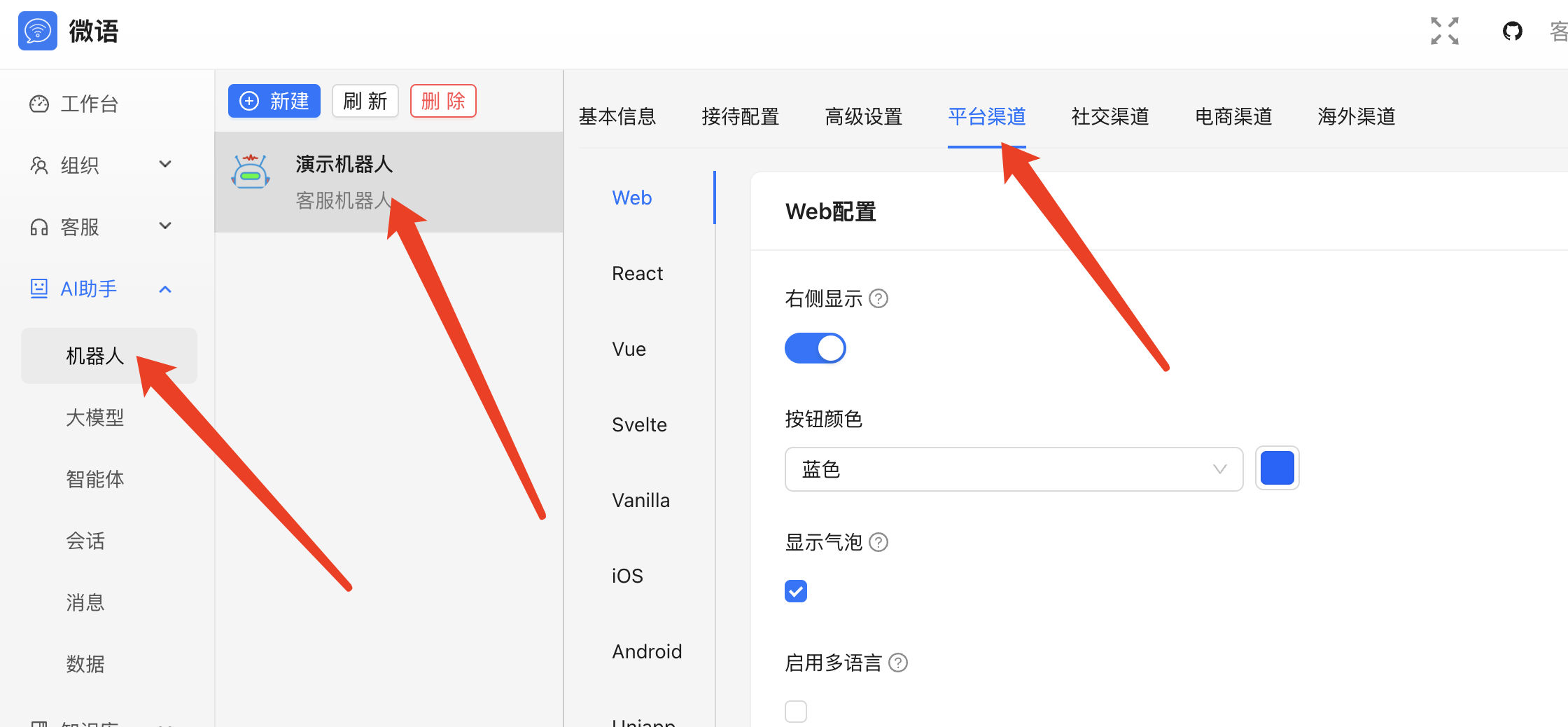
- Find the Get Chat Code option in the admin console
- Copy the generated embed code
- Add it to your website or application
Example Result
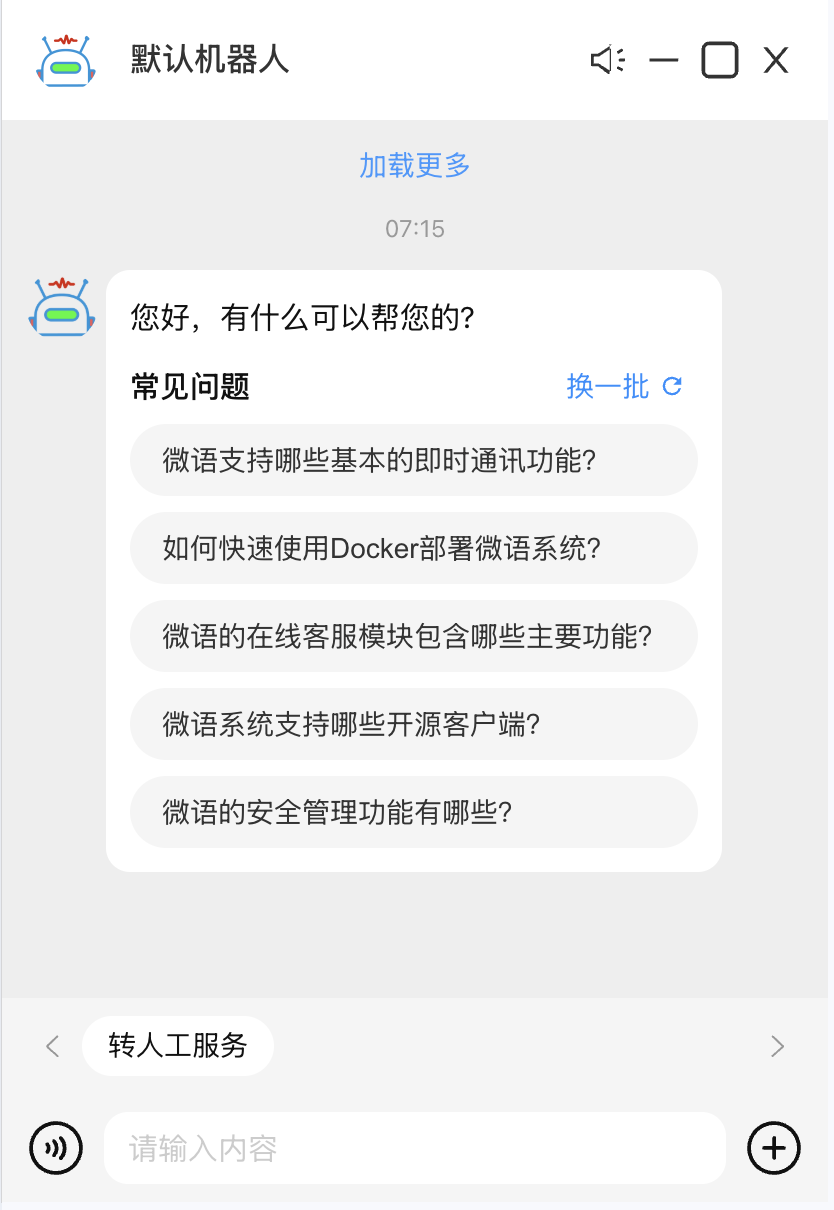
After the configuration is complete, the website chat widget can call DashScope-backed AI capabilities.
Optional Configuration
Docker Environment Variables
SPRING_AI_DASHSCOPE_BASE_URL=https://dashscope.aliyuncs.com/compatible-mode
SPRING_AI_DASHSCOPE_API_KEY=sk-xxx
SPRING_AI_DASHSCOPE_CHAT_ENABLED=true
SPRING_AI_DASHSCOPE_CHAT_OPTIONS_MODEL=deepseek-r1
SPRING_AI_DASHSCOPE_CHAT_OPTIONS_TEMPERATURE=0.7
SPRING_AI_DASHSCOPE_AUDIO_TRANSCRIPTION_ENABLED=false
SPRING_AI_DASHSCOPE_IMAGE_ENABLED=false
SPRING_AI_DASHSCOPE_EMBEDDING_ENABLED=true
SPRING_AI_DASHSCOPE_AUDIO_SYNTHESIS_ENABLED=false
Source Configuration
spring.ai.dashscope.base-url=https://dashscope.aliyuncs.com/compatible-mode
spring.ai.dashscope.api-key=sk-xxx
spring.ai.dashscope.chat.enabled=true
spring.ai.dashscope.chat.options.model=deepseek-r1
spring.ai.dashscope.chat.options.temperature=0.7
spring.ai.dashscope.chat.options.topP=3
spring.ai.dashscope.audio.transcription.enabled=false
spring.ai.dashscope.image.enabled=false
spring.ai.dashscope.embedding.enabled=true
spring.ai.dashscope.audio.synthesis.enabled=false
Common Issues
- Invalid API key: confirm the key is correct and enabled.
- Slow responses: check network latency and tune model parameters.
- Feature errors: verify the related switches are enabled.